SmartGit for Beginners

Learn Git visually and build confidence

What problems do beginners have with Git?

Beginners typically struggle with:

The command line

Memorizing commands and fear of breaking things

Merge errors

Scary conflicts without visual guidance

Understanding branches

Confusion without a visual map

Why is SmartGit ideal for beginners?

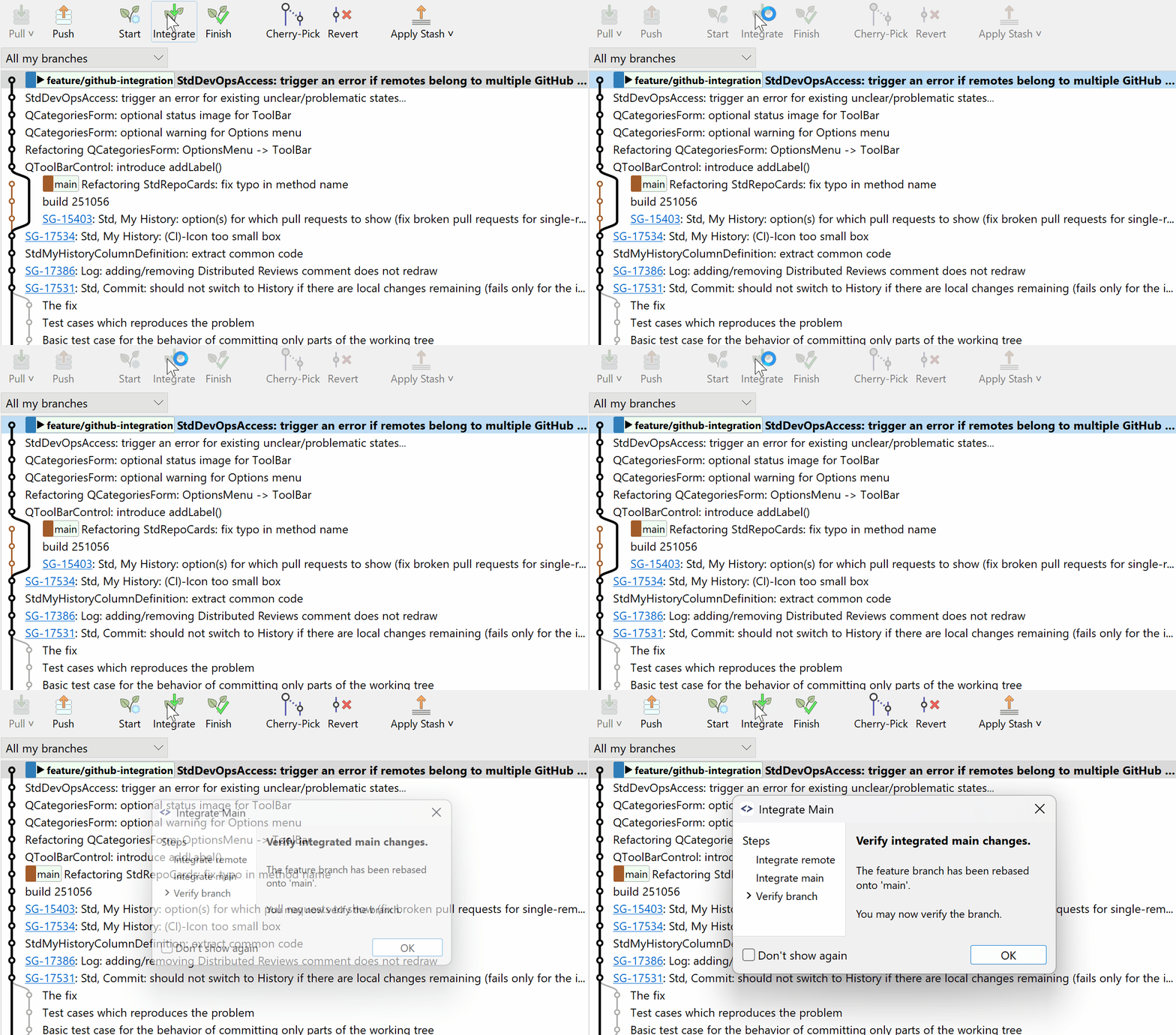
SmartGit shows you what Git is doing instead of just executing commands.

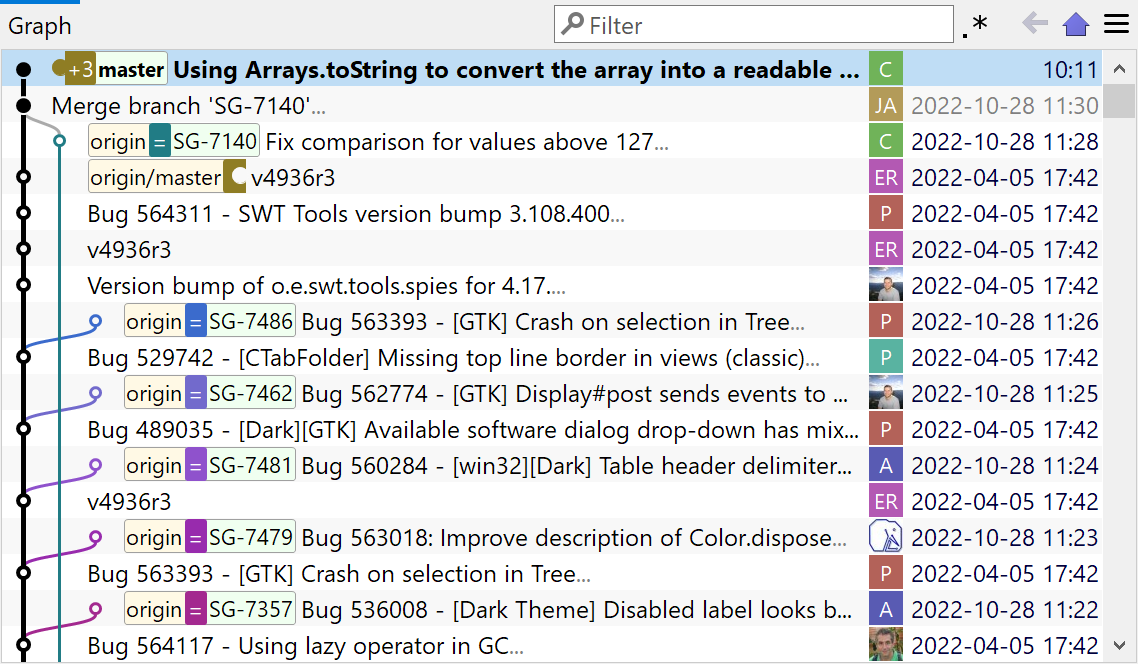
SmartGit's visual commit history graph

See your repository structure

Every branch, commit, and merge is displayed as a visual graph. No more guessing where you are or what happened.

The graphical history view shows your entire project timeline at a glance — making it easy to understand Git's branching model without memorizing commands.

Learn more about Visual History
SmartGit's smart branching

Understand branching visually

Branches can be confusing in the command line — SmartGit shows you exactly what each branch contains and how they relate to each other.

Create, switch, and merge branches with a few clicks and see the result immediately in the graphical history.

Explore Smart Branching
SmartGit three window styles

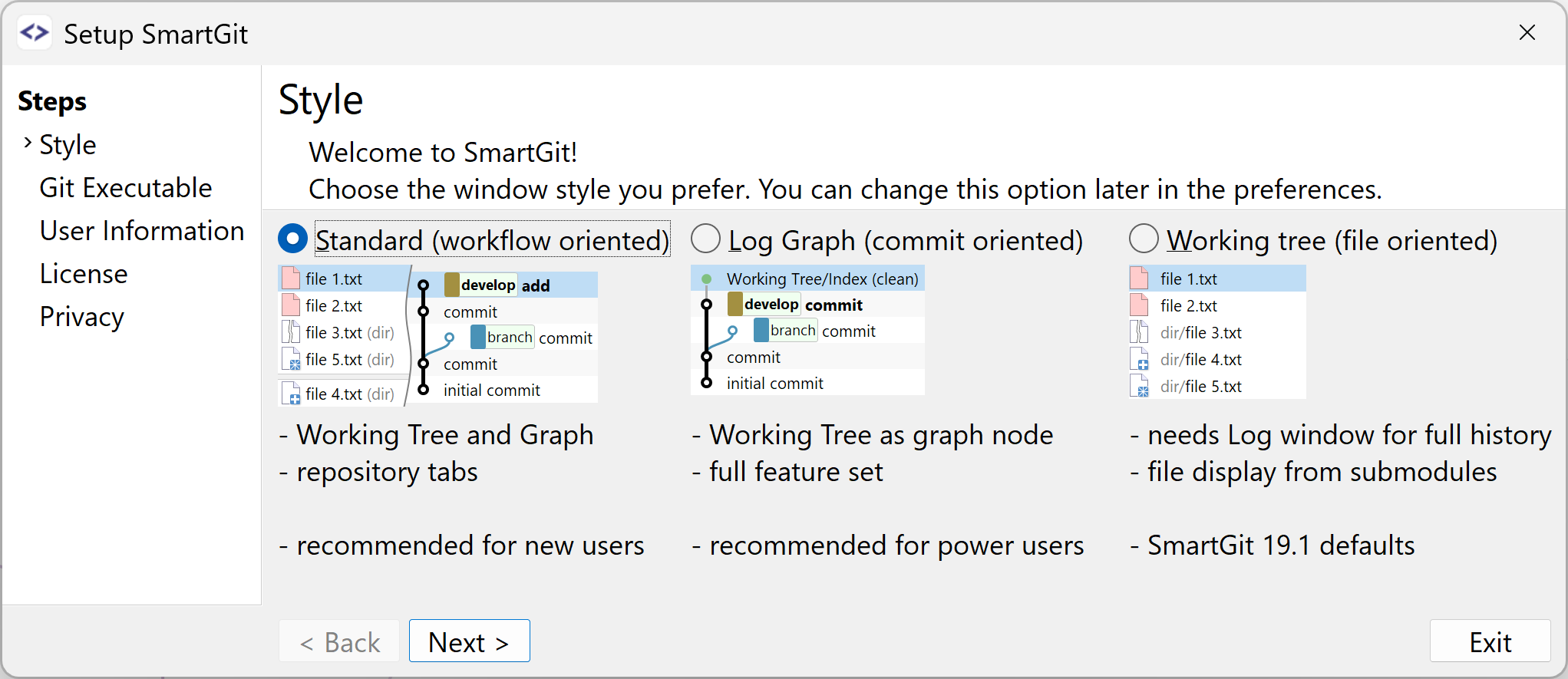
Choose the window style that suits you

SmartGit offers three different window layouts — pick the one that matches how you think and work, whether you prefer a compact view or a full overview.

Switch between styles at any time as your experience grows and your workflow evolves.
Explore Window Styles

Ready to get started?

Try SmartGit free for 30 days and experience Git learning without the stress.

Free for non-commercial use

How does SmartGit compare to other Git tools?

FeatureSmartGitGit Command LineOther GUI Git Tools
Visual representation of Git
Branches, commits, merges are clearly visualized

No visual representation

Visual workflows available
Beginner-friendly
Designed for beginners

Steep learning curve

Generally easier than CLI
Safe handling of merges
Guided & visual merge conflict resolution

High risk of mistakes

Often visual, tool-dependent
Understanding branches
Branches are visible and intuitive

Concept-only

Usually visual
No command memorization
No need to memorize commands

Required

Partial
Professional Git features
Full Git functionality

Full

Sometimes limited, with different focus

Keep improving your Git skills

Git-Skills

Practice and test your Git knowledge with hands-on quizzes.

Visit Git-Skills

Git How-Tos

Step-by-step guides for common Git tasks — designed for clarity.

Browse How-Tos
Illustration of Smart Gitty, the SmartGit mascot -- a grey cartoon cat with glasses, sitting behind a laptop