Illustration showing GitHub Copilot, Cursor, Claude, and Codex around SmartGitty

SmartGit for AI code review

AI writes more code. Review it faster with SmartGit.

Make large AI changes easier to review.

Code move detection, side-by-side diffs, and visual history help you understand large changes and focus on the code that needs your attention.

Keep parallel agent work separate, catch overlapping changes, and decide what to integrate.

Download

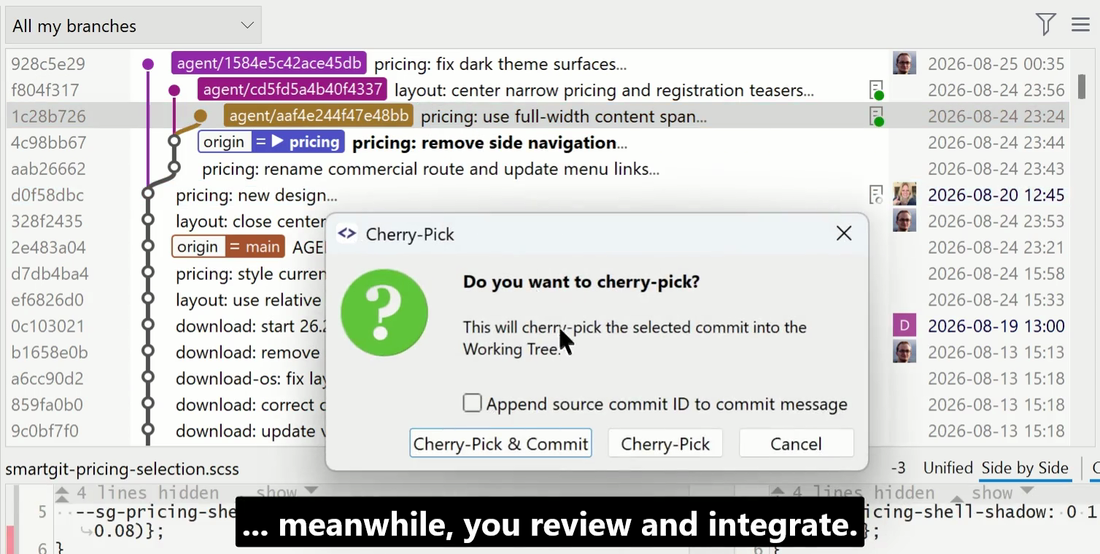
Agent Integration

Keep agent work and Git review together

Run Codex or Claude from a selected commit or branch. SmartGit gives each managed conversation its own branch and worktree, keeping parallel tasks separate.

Review the resulting commits and cherry-pick the ones you approve. Follow live output and steer a session while keeping its Git context in view.
Download
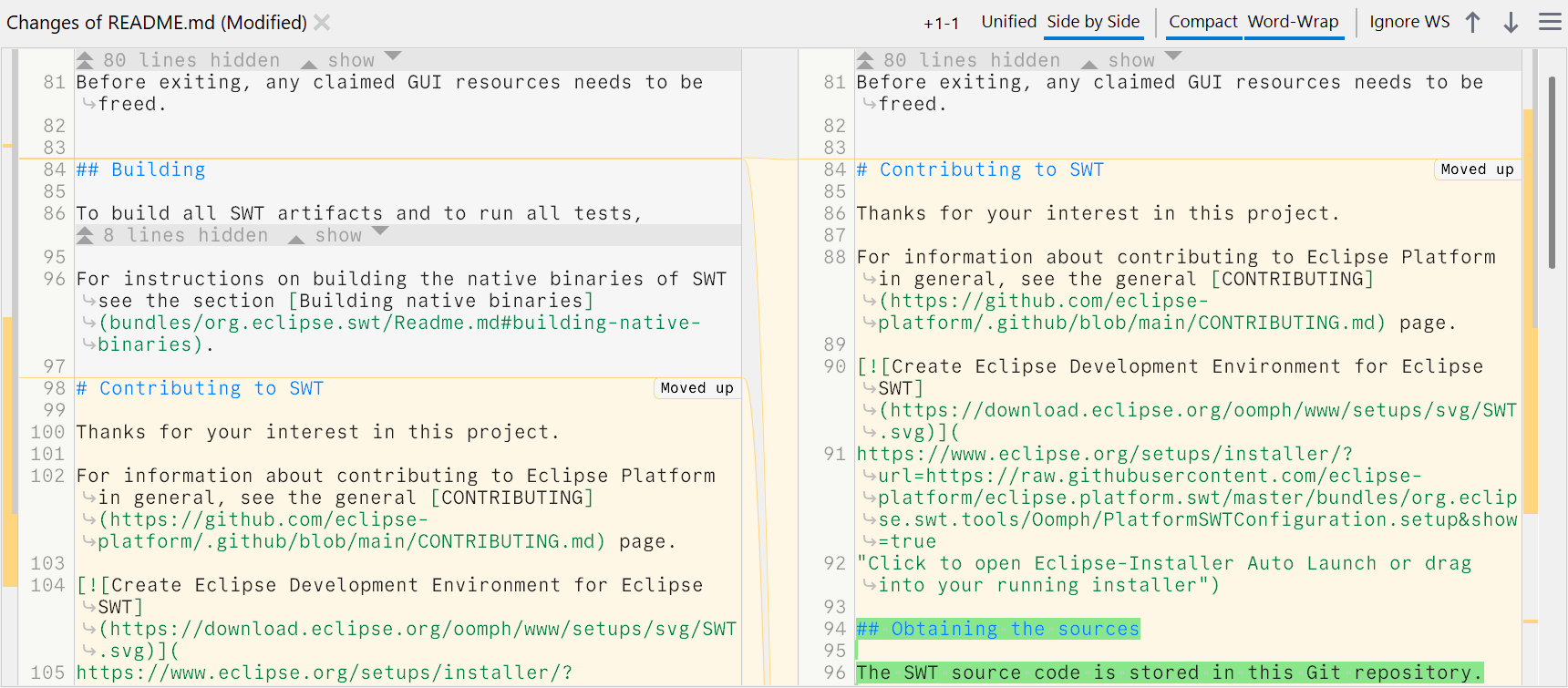
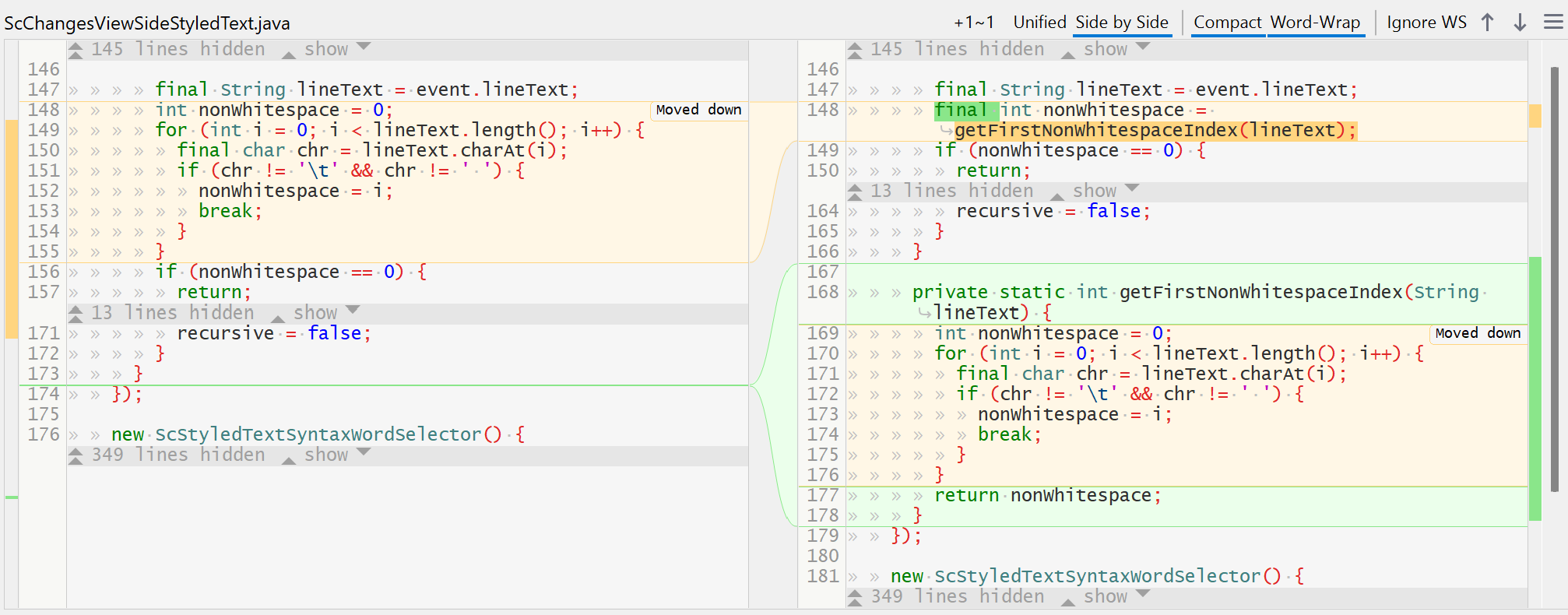
SmartGit Changes view connecting the original and new locations of moved code while highlighting edits

Code Move Detection

Separate moved code from meaningful edits

Agents often reorder, extract, or inline code, creating large diffs that take time to untangle.

SmartGit connects the original and new locations of moved blocks and fragments, while keeping edits inside them visible. Follow the move and focus your review on what changed.

Download

Commit Overlap

Find related changes before you integrate

When agents work on related tasks, their commits may touch the same code. SmartGit’s Overlap column shows how strongly commits overlap with a selected comparison commit.

See shared files and potential conflicts in the tooltip. Spot dependencies and decide which changes belong together before cherry-picking, squashing, or reordering them.

Download

Clean Commits

Turn large changes into focused commits

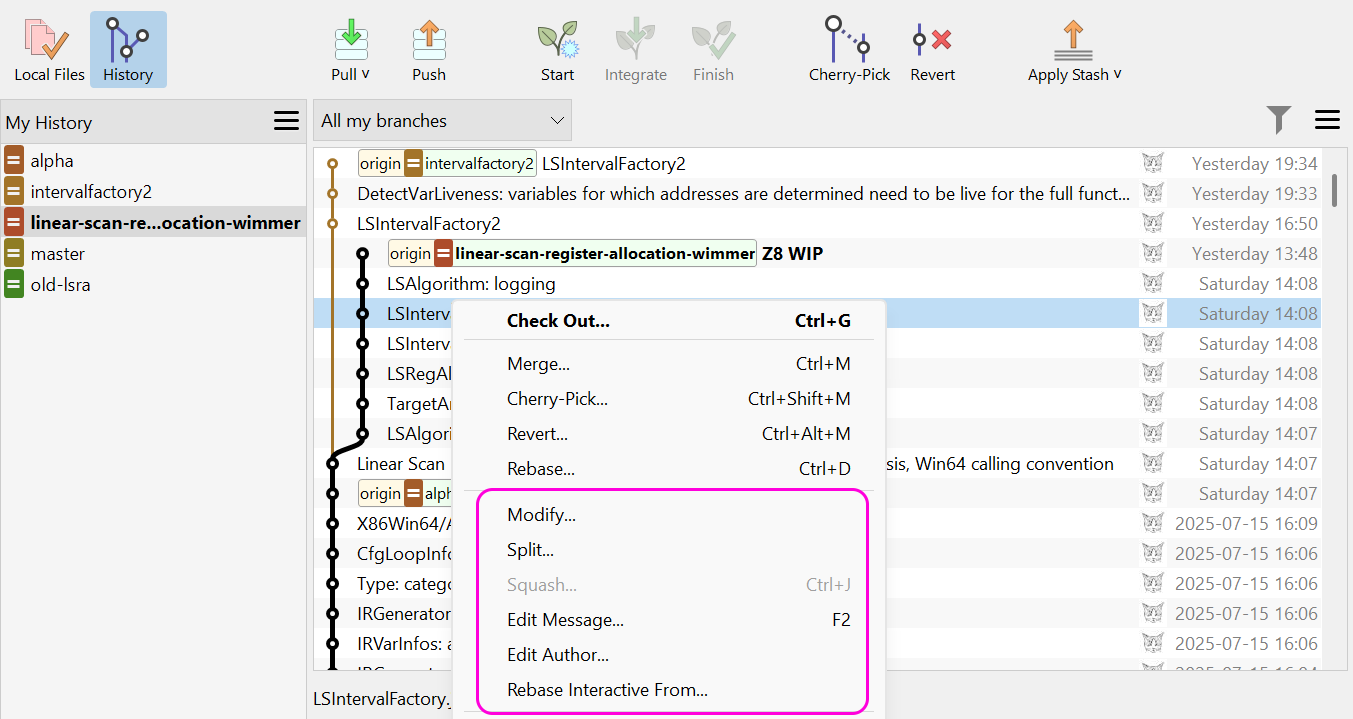
AI work can mix refactoring, fixes, and new behavior in the same commit. SmartGit lets you split, squash, and reorder commits visually.

Separate unrelated changes and group the ones that belong together. Focused commits make today’s review faster and tomorrow’s history easier to understand.

Download
SmartGit Branches and Graph views showing branches attached to worktrees and their worktree states

Worktrees

Keep parallel agents’ changes separate

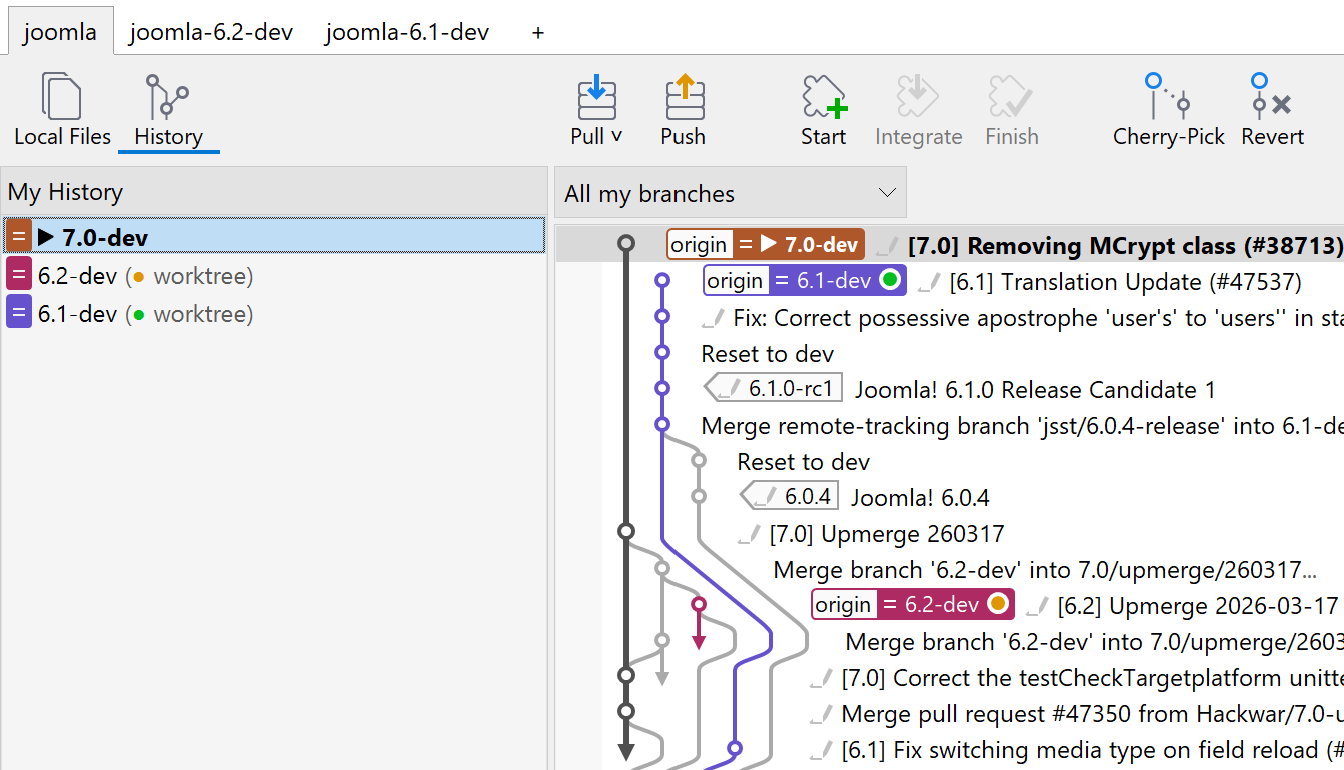
Several agents can work at once while you review the results. SmartGit shows each worktree’s branch and whether its working tree is clean or modified.

Switch to the worktree you want to inspect and keep the other tasks in view. Spend less time finding the right changes.

Download

Conflict Solver

Resolve overlapping changes visually

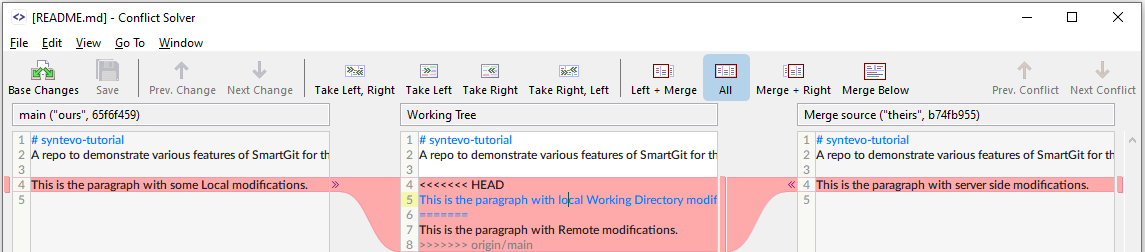
When an agent’s branch conflicts with yours, SmartGit’s Conflict Solver shows your version, the working tree, and the incoming changes together.

Compare the conflicting sections, choose which changes to keep, and edit the result directly. Resolve each conflict with the surrounding code in view.

Download
SmartGit visual history showing color-coded branches, commits, and merges in the Graph view

Visual History

Follow every agent branch in context

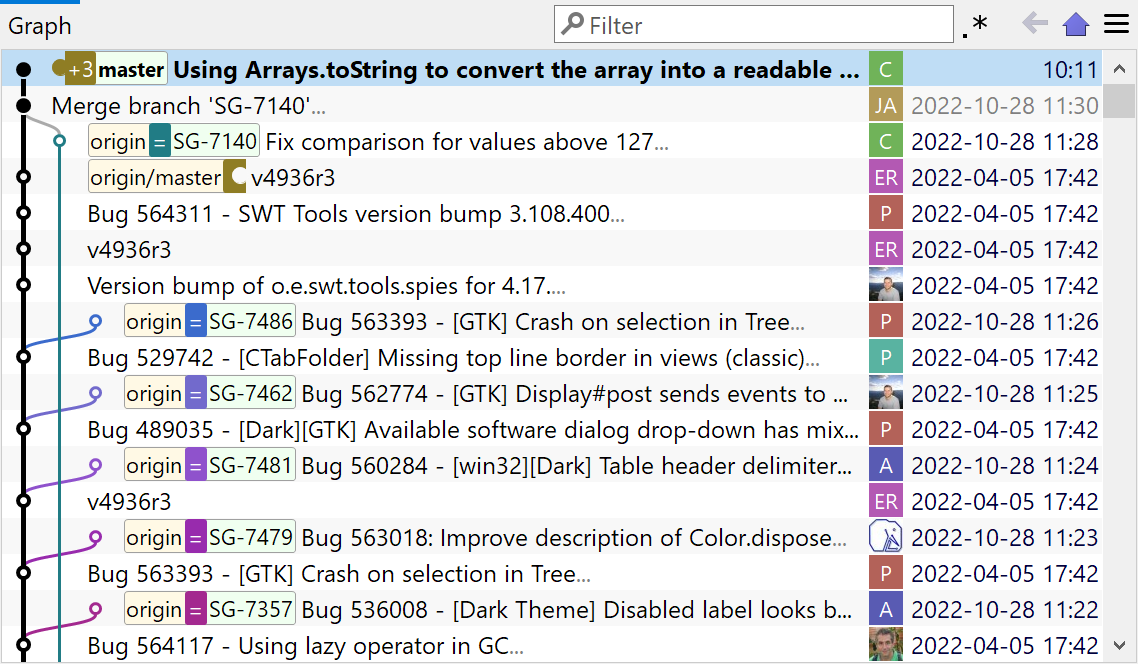
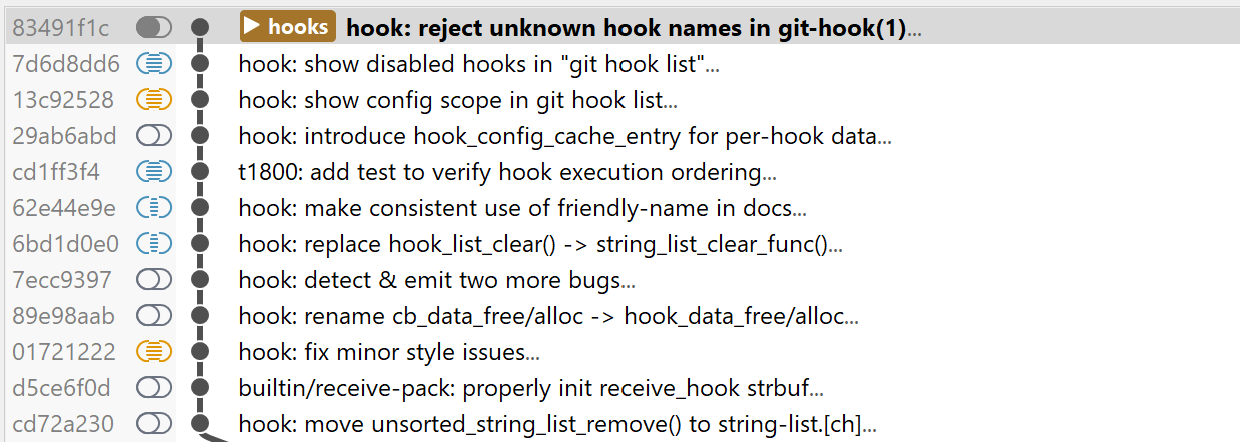
A visual graph brings branches, commits, and merges together, so you can see how each agent’s result relates to your feature branch.

Filter the history by author, message, or changed files to find the commits that need review. Trace the context before deciding what to integrate.

Download
SmartGit side-by-side diff wrapping long documentation lines to fit the available pane width

Word Wrap

Read long lines in one view

AI-generated code and documentation can contain long lines that slow down a review.

Word Wrap fits them to the diff pane, including in side-by-side view. Read the whole change in context with less horizontal scrolling.

Download
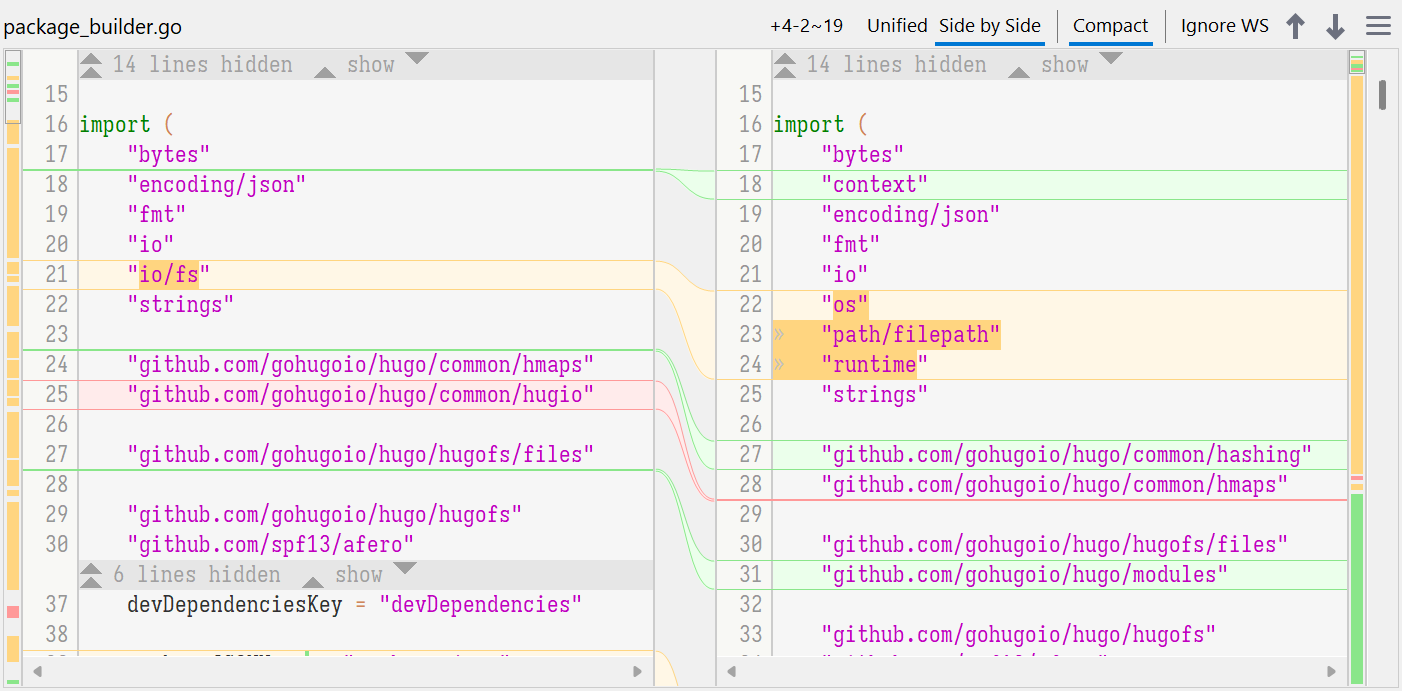
SmartGit side-by-side diff highlighting added, modified, and deleted code with unchanged lines collapsed

Side-by-Side Diff

Understand large diffs at a glance

Compare the previous version and the agent’s changes side by side. Highlighted additions, deletions, and edits make each change easier to follow in context.

Move through the changed blocks and hide unchanged lines with the compact view. Keep a large diff focused on the parts that need review.

Download

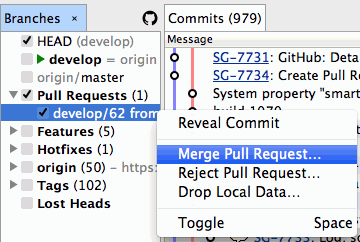
GitHub Pull Requests

Fetch and review GitHub pull requests

Fetch GitHub pull requests into SmartGit to inspect their commits and proposed changes in your Git context.

Review the changes locally, add comments, or merge or reject a request from the Branches view. Contributors can create pull requests in SmartGit after committing their changes.

Download

Keep up with AI code. Stay in control.

Review large changes efficiently with clear diffs, focused commits, and the Git context you need to decide what ships.

Continue on my computer

Choose how you want to save this page.